The Google Play algorithm is a ranking system that first works out what a searcher wants, then orders apps by relevance to that query, app quality and how users respond. Google publishes the categories of signals but not a formula or fixed weights, so the reliable way to improve is to change your listing deliberately and measure the rank movement per keyword and per country. That is the job ASO Gauge was built for: it checks rankings across the App Store and Google Play in up to 175 countries three times a day, so a listing change gets a measured result instead of a guess.
TL;DR
- Google documents five ranking factors: user relevance, app quality, editorial value, ads and user experience. Their weight differs by surface, and search leans heavily on relevance to the query.
- Metadata (title, description, category) tells Play what your app is about. Quality signals such as ratings, crashes and engagement decide whether it deserves to show.
- Neither Google nor Apple publishes exact weights, so separate what Google states from what the industry infers, and test the second group.
- Rankings differ by device, location and carrier, so track keywords by country, not as one global number.
- Change one thing at a time, then compare rank and store-listing metrics before and after.
How Google Play search ranks apps
According to Google’s Play Console documentation, search first establishes the intent behind a query: is the person looking for a specific app, or for a category of apps, and which synonyms apply? Only then does ranking begin. Metadata such as the title, description and category is matched against that intent, together with other signals including app quality and how users respond to results.
The same page lists five ranking factors: user relevance, app quality, editorial value, ads and user experience. The important detail is that they are weighted differently on each surface. Top Charts are heavily influenced by popularity, while search results are heavily influenced by relevance to what the user typed. Device and personal preferences shift the weights further.
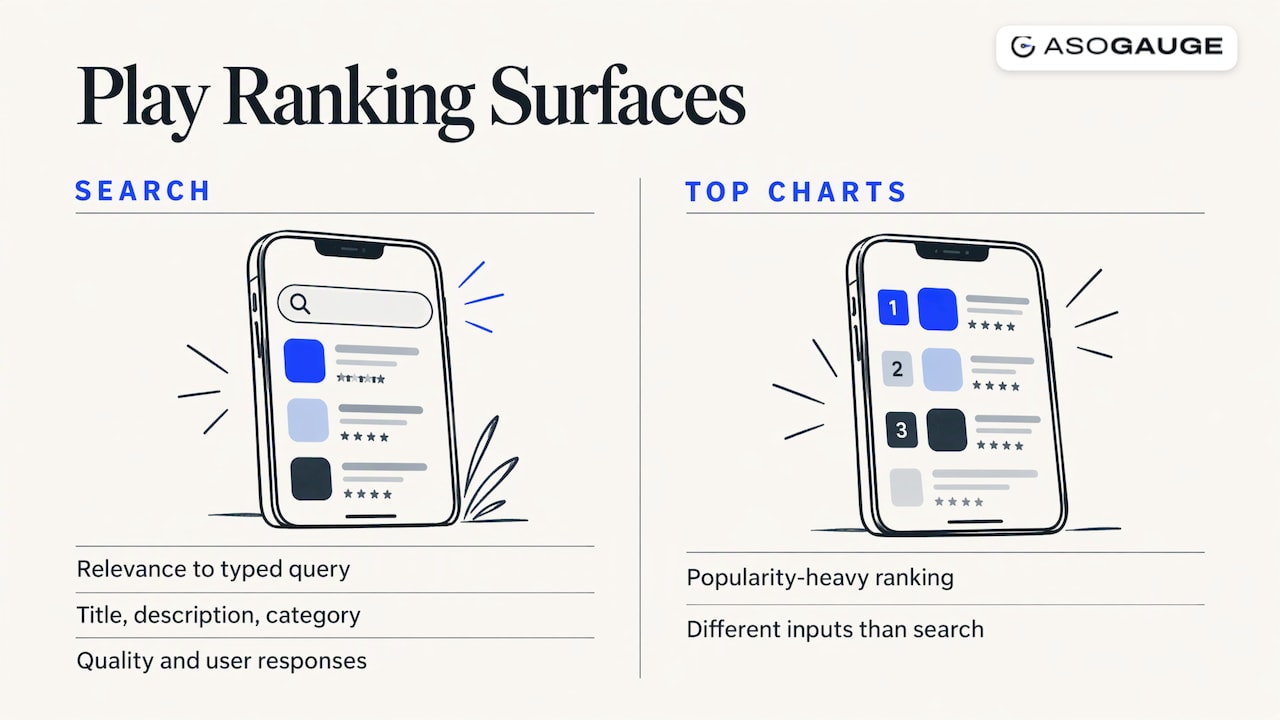
That has a practical consequence for you. Optimizing for Play search is mostly a relevance problem you can influence with your listing, and a quality problem you can influence with your product. Charts and editorial placements are different games with different inputs.
Results are not the same for everyone
Google’s help page on visibility issues says that, like web search, Play search weighs several factors such as app titles, developer names and descriptions, and that results change regularly and differ by device, location, mobile carrier and supported features. Google’s consumer help describes the main drivers of search ranking as relevance to search terms, the quality of the in-app experience and user engagement.
So “my rank for this keyword” only means something when you name the country and, ideally, check it on a schedule. A single manual search on your own phone shows you one slice of one day.
The factors Google confirms
Google’s own material gives you a short list you can rely on.
| Factor | What Google says | What you control |
|---|---|---|
| User relevance | Query intent matched to app metadata | Title, short and full description, category |
| App quality | Covers in-app experience and pre-install elements such as icon, screenshots, video and description | Listing assets, stability, performance, support |
| Editorial value | Curated surfaces | Mostly indirect |
| Ads | A separate paid factor | Campaign budget |
| User experience | How people respond to the app and results | Engagement, ratings, retention |
The definition of app quality is broader than most developers expect. Google’s documentation covers both the experience inside the app and pre-install elements, plus compatibility, performance, stability and responsiveness, and states that low-quality apps are kept off discovery surfaces and top search results.
Google has also described the design intent. In a 2026 submission published by the UK government, Google says Play’s ranking uses three overarching criteria: user relevance, app quality and user experience, applied through a rules-based, algorithmic system built on measurable indicators such as ratings, reviews, engagement and technical performance.
Quality signals: ratings, crashes and retention
Quality is where many listings lose ground that no keyword change can recover.
In a June 2018 post, Google said it had increased the weight of app quality and user engagement in search and discovery, so apps and games with high retention, low crash rates and low uninstalls are recommended more often. In November 2022 Google announced a minimum 3.0-star rating for Top Free charts, and said new crash and ANR (application not responding) metrics in Android vitals would increasingly influence how Play treats apps, including possible store-listing warnings.
In 2019 Google advised developers to review the Android vitals dashboard against peer benchmarks, noting that bad vitals could limit exposure, and reported that users raised their rating by 0.7 stars on average when developers replied to negative reviews.
The lesson is simple. Before you rewrite a description, check crash rate, ANR rate and recent ratings. If those are weak, relevance work will have a lower ceiling.
How app content affects relevance
Google states that Play search considers titles, developer names and descriptions. It does not publish field weights. What the wider ASO community reports is a rough order: keyword relevance in the title, short description and full description first, then download velocity, ratings and reviews, engagement and uninstall rate. One 2026 ASO guide also notes that Google Play indexes the full description, up to 4,000 characters, unlike Apple’s.
Treat that ordering as a set of hypotheses. An August 2026 ASO explainer makes the same point: neither store publishes a simple formula, so documented inputs should be separated from hypotheses tested in store data. It also notes that Google warns that repetitive or irrelevant keyword use can create a poor experience and lead to suspension.
In practice, content work on Play comes down to these points:
- Title. Put the clearest description of what the app is, in the words users search, next to your brand. Keep it readable.
- Short description. It is the first text many people read, so it should state the main benefit and a primary phrase naturally.
- Full description. Because it is indexed, cover the real use cases, features and synonyms in natural sentences. Repeating a phrase mechanically risks a policy problem and a worse listing.
- Localization. Query intent and synonyms differ by language. A translated listing can rank for different terms than the original, so treat each country as its own keyword set.
- Graphics and video. They count toward quality and drive conversion. Google has recommended a video on the listing and several 16:9 screenshots for games.
Our guide to how Google Play search ranking and keywords work goes deeper on the keyword side, and this overview of what Apple and Google say about ASO shows where the two stores differ.
Does Google Play use AI in ranking?
Yes, machine learning is documented in several places, though not as a description of the full search ranker. A 2016 Google Research post describes the “You might also like” feature: a neural network predicts the next app a user installs and creates app embeddings, then a second network re-ranks candidates online using context such as region, language and search queries. Google reported a 20% higher install rate than a control without re-ranking.
A 2017 post explains that Play also uses machine learning against abuse, including a pipeline to detect and nullify fake engagement that manipulates ratings and rankings. Both are good reasons to avoid shortcuts: personalization means ranking is not one fixed list, and anti-manipulation systems mean engineered installs and reviews are a risk.
Measuring what works
Because the weights are not published, measurement is how you learn what your app responds to. You need two kinds of data.
Store-listing metrics from Google. Play Console defines the metrics you can use, including install, open and pre-registration clicks, click-through rate, store listing acquisitions and store-listing visitors. These tell you whether people who see your listing act on it.
Keyword rank by country. Console metrics tell you what happens after someone lands on your page. They do not tell you where your app appeared for a given search in a given country, or whether a title edit moved it. Rank tracking fills that gap.
A clean test routine looks like this:
- Pick 10 to 20 target keywords per country and record where you rank today.
- Change one element, such as the short description or the title.
- Track the same keywords at a regular interval for at least a couple of weeks, since results shift by device, location and carrier.
- Compare rank movement with listing views and click-through rate in Play Console.
- Keep the change if both improved. Otherwise roll back and test a different idea.
ASO Gauge runs the tracking step for you: it checks rankings across different countries three times a day, monitors the impact of your listing changes, and compares your rankings with competitors’. For the first step, the ASO keywords page explains how to find, check and track terms on both stores, and the guide to checking keyword rankings covers the routine in more detail.
Where ASO Gauge fits
ASO Gauge is a desktop tool for macOS, Windows and Linux. It tracks app rankings on the App Store and Google Play in up to 175 countries three times daily and analyzes keyword performance. It also generates 20 AI-driven listing improvement proposals each month, checked for compliance with app store rules, which gives you concrete title and description candidates to test against the rank data.
There is a 7-day free trial, and after that the Lifetime Licence costs $39 one-off, with no recurring subscription.
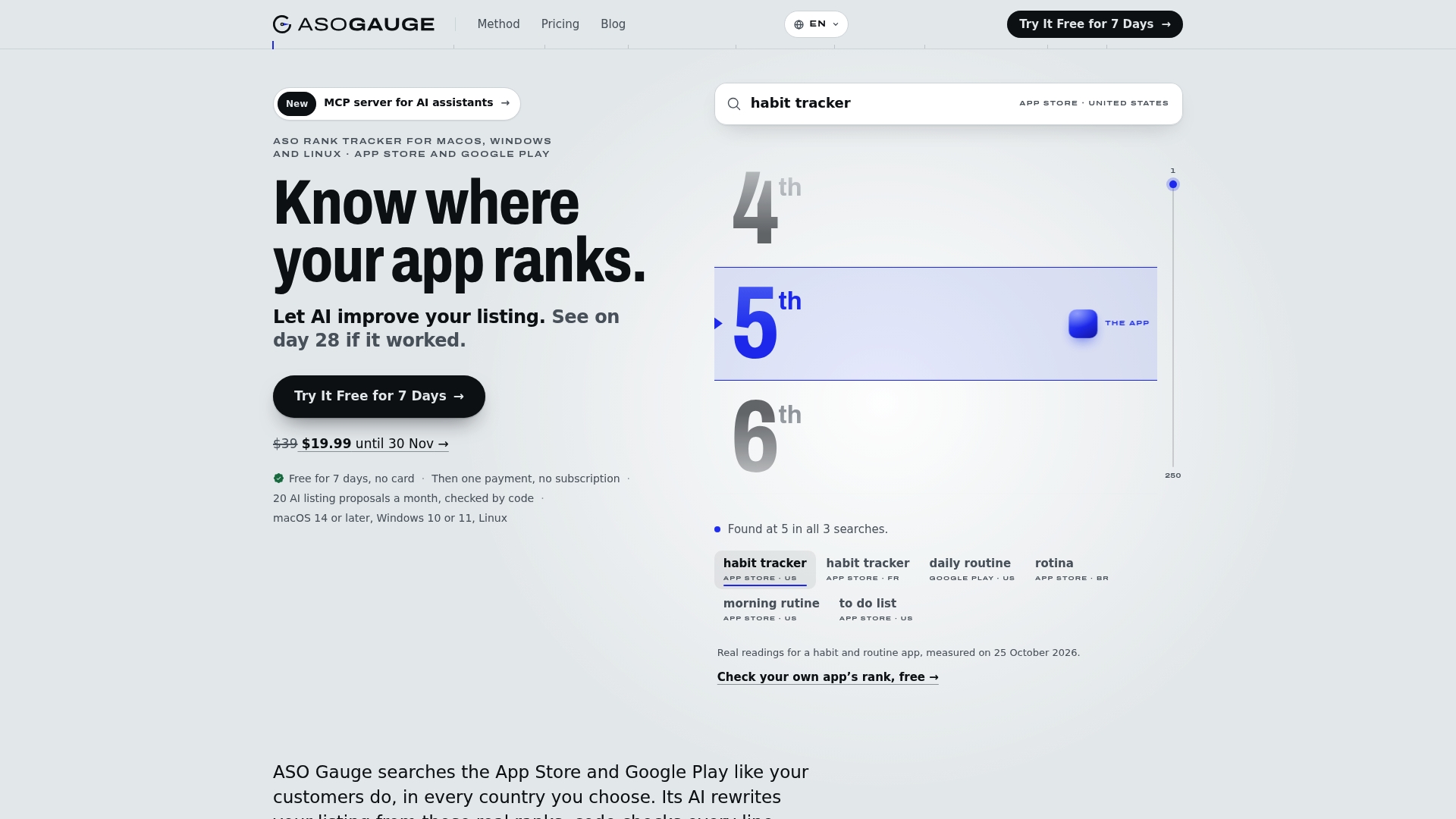
You can also start from the app ranking tracker to see where your app stands today.
What to do this week
- Open Android vitals and the ratings overview in Play Console. Fix crash and ANR problems first, since quality limits how far relevance can take you.
- Rewrite the title and short description so a stranger would know what the app does and for whom.
- Review the full description for natural coverage of use cases and synonyms, with no repeated keyword blocks.
- Localize for your top three countries by revenue or installs, treating each as its own keyword set.
- Record rankings before each change, and compare after.
FAQ
Does Google Play publish its ranking algorithm?
No. Google describes the categories of signals, such as relevance, quality and user experience, but it does not publish a formula or field weights. Anything more specific is inferred from observation and should be tested on your own app.
Does the Google Play algorithm use AI?
Google Research has described neural networks for personalized app recommendations and machine learning to detect spam and fake engagement. Google has not published a full description of the search ranker itself.
Do ratings and crashes affect Google Play rankings?
Google says quality and engagement signals influence discovery, and that apps with high retention, low crash rates and low uninstalls are recommended more often. Google has also set a 3.0-star minimum for Top Free charts.
Is the Google Play description indexed for search?
Google says Play search considers app titles, developer names and descriptions. An ASO guide reports that the full description is indexed up to 4,000 characters. Write it naturally, since Google warns that repetitive keyword use can cause problems.
How do I know whether a listing change improved my rank?
Record rankings per keyword and country before the change, then compare them after, alongside listing views and click-through rate in Play Console. ASO Gauge checks rankings three times a day and measures the impact of listing changes.
Sources
- App Discovery and Ranking - Play Console Help
- App visibility and discovery issues - Play Console Help
- Consumer information for users in Korea - Google Play Help
- Google commitments annex: Play’s existing practices and policies
- Android Developers Blog: Improving discovery of quality apps and games
- Android Developers Blog: Supporting and rewarding great apps and games on Google Play
- Android Developers Blog: Improved app quality and discovery on Google Play
- App Store Optimization (ASO) Guide (2026)
- App Store Optimization (ASO): How It Works and How It Differs from SEO
- App Discovery with Google Play, Part 2: Personalized Recommendations
- App Discovery with Google Play, Part 3: Machine Learning to Fight Spam and Abuse
- Understand and grow your app’s user base - Play Console Help